Unified Radiology Suite
High-performance, secure web applications designed for modern medical workflows.
Paper Library
Your personal library for medical journals, articles, and clinical guidelines.
- Drag-and-drop uploads — PDFs from phone, iPad, or desktop
- AI assisted automatic chapterwise splitting and uploading to cloud for large textbooks
- Upload and browse papers organised by medical specialty — up to 50 custom groups
- Highlight and annotate any page — notes are saved automatically to your account on laptops or iPads/tablets
- Apple Pencil or stylus handwriting support with palm rejection
- Advanced search — instant search across titles, keywords, notes, and PDF text
- Handles books up to 6,000 pages without lag or slowdown
- Multidevice seamless access and sync support — works on all platforms and devices
- Offline access — carry your entire library and read anywhere without internet
- Dashboard & analytics — track storage usage, document counts, and specialty distribution
- Private & secure — documents stored with AES-256 encryption, only you can access your library
- ...and many more features
Vrass
Write and review radiology reports faster with advanced AI assistance.
- Rich text editor with patient info headers and print-ready report layouts
- Use your own templates and load template with a click
- Shortcuts & Autotext — expand common phrases and run macros for fast reporting
- Customized personal header with institute logo support
- AI report review available
- Built-in quick radiology reference knowledge bank
- Global search across quick radiology reference library
- Report history archive — searchable log to browse, reopen, and reprint past reports
- Settings and report history sync automatically across all your devices
- Export finished reports as Word documents or print directly from the app
- No patient details saved permanently
- ...and many more features
Miracle Viewer
View, navigate, and manage DICOM scans in 2D MPR and 3D MPR from your personal cloud library.
- Biometric fingerprint or face access lock to safeguard cases
- Single app that works seamlessly on iPad, mobile, laptop, and hospital/workplace computer systems (no admin rights required)
- Scroll through 2D MPR slices or reconstruct full 3D MPR anatomical views in your browser
- Link related cases together and open with one click
- Attach reports, images, and documents directly alongside each scan
- Write and store clinical notes and reports within each case
- Integrated with VRASS smart reporting and Paper Library
- 1 TB cloud sync — your entire case library backed up and accessible anywhere and on any device
- Works offline
- Share full DICOM cases freely to other members like an email
- Keep cases private as drafts until you are ready to share them
- Remove patient identifiers before sharing scans — one click, fully compliant
- ...and many more features
The Story behind Radkspace
A clinical vision for radiology education and reporting, brought to life by engineering excellence.
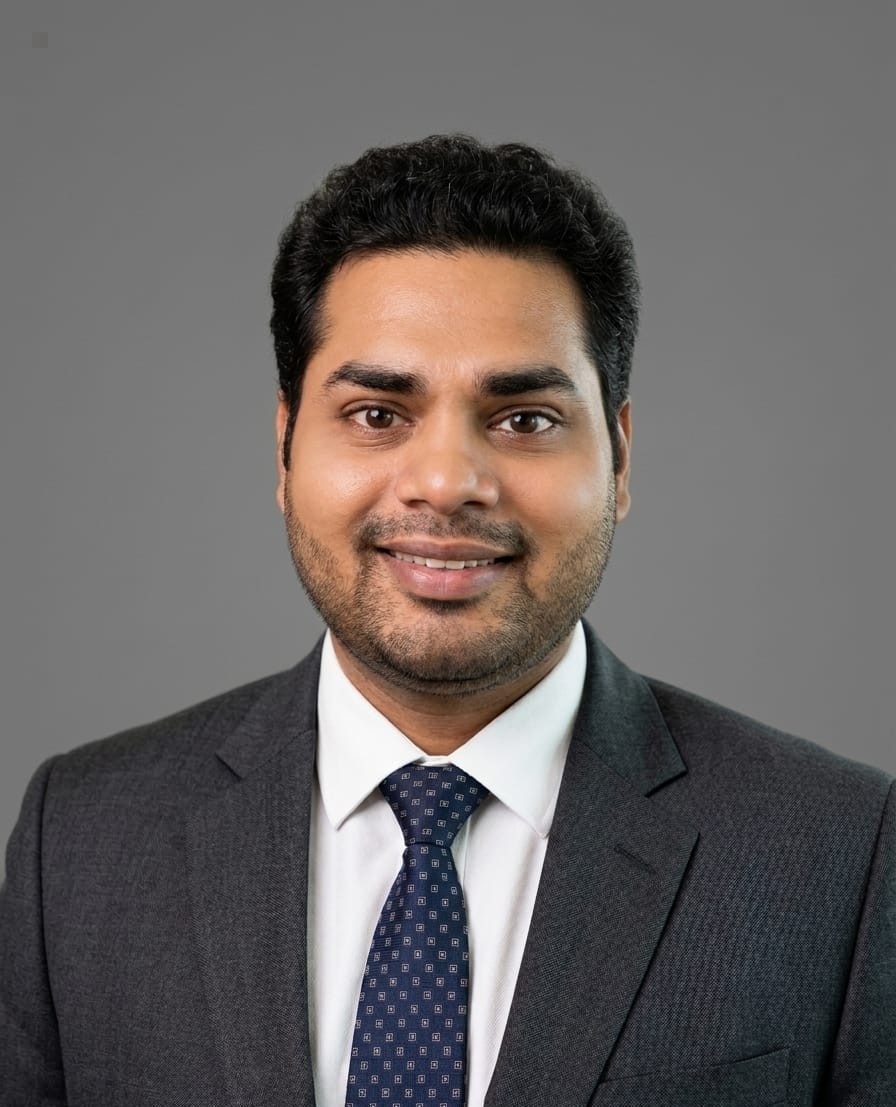 The Compass & Founder
Dr. Sumit Kumar
Teaching Faculty, Deptt of Radiodiagnosis · UCMS & GTB Hospital, Delhi
With over fifteen years in medical education and hospital settings, Dr. Sumit Kumar experienced firsthand a persistent problem: radiologists and residents spending critical time searching for papers, textbooks, and past reports scattered across devices and platforms.
Determined to build a solution focused entirely on clinical workflows rather than technology for its own sake, Dr. Kumar set the direction, defined the clinical design, and served as the guiding compass for the entire suite of tools.
Mr. Saurabh Chaudhary
Cloud ArchitectArchitected the secure, encrypted cloud infrastructure, real-time data sync pipeline, and scalable storage system powering the platforms.
Mr. Rahul Singh
Systems EngineerEngineered the advanced PDF annotation and drawing engine, handwriting recognition, and cross-device canvas sync.
Mr. Amit Kumar
UI/UX DesignerDesigned the unified design system, intuitive layouts, and responsive interfaces that keep the user experience simple and focused.